
How to Verify a Gaming Platform: 12 Important Safety Checks
Published 18 Jul 2026
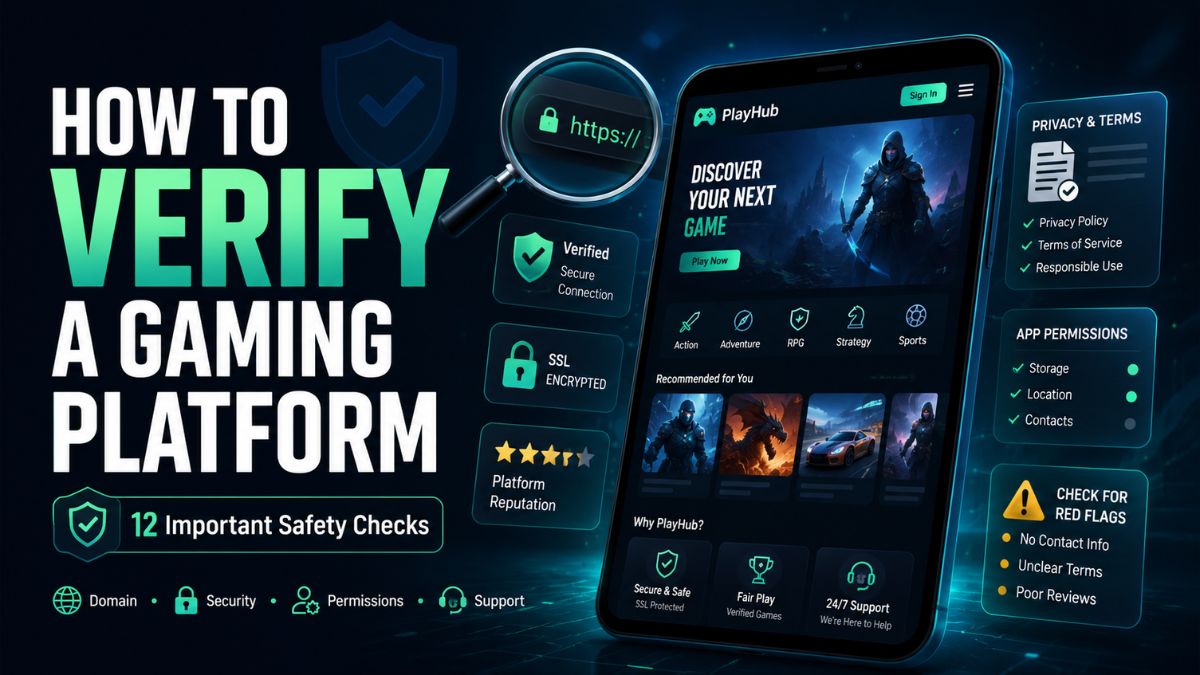
Knowing how to verify a gaming platform is important before creating an account, installing an application, entering a promo code or sharing personal information.
A professional-looking website is not automatically genuine. Logos, screenshots, security icons and promotional banners can be copied. Similar domain names can also be used to direct users to unrelated or potentially unsafe websites.
Verification means looking beyond the platform's appearance and reviewing who operates it, how it handles user information, what permissions its application requests and whether its claims can be independently confirmed.
This guide provides a practical gaming platform verification checklist that can be used for Uono-related platforms and other gaming websites or applications.
Important: Verification reduces risk but cannot guarantee that a platform is completely safe, reliable or suitable for every user.
Quick Gaming Platform Verification Checklist
Before using a gaming platform, check the following:
- Exact domain spelling
- HTTPS connection
- Publisher or operator identity
- About and contact information
- Privacy policy
- Terms and conditions
- Game rules
- Application download source
- Requested device permissions
- Account-security features
- Promotional conditions
- Age and regional restrictions
A platform that fails several of these checks should be approached cautiously.
Why Gaming Platform Verification Matters
Gaming platforms can collect or process information such as:
- Email addresses
- Phone numbers
- Usernames
- Device information
- Approximate location
- Application activity
- Account preferences
- Uploaded documents
- Transaction-related information
The amount of information collected differs between platforms. Users should understand what is requested, why it is needed and how it may be used before continuing.
Verification is particularly important when a platform asks users to:
- Download an application outside a recognized app store
- Create an account
- Submit identity information
- Enter payment information
- Share a verification code
- Invite other users
- Activate a voucher
- Follow a link received through a private message
Pressure to act immediately is a warning sign. A legitimate verification process should give users enough time to review the platform and its conditions.
1. Check the Exact Website Address
Start by reviewing the domain shown in the browser's address bar.
Look carefully for:
- Missing letters
- Additional letters
- Replaced characters
- Unexpected hyphens
- Unfamiliar subdomains
- Unusual domain extensions
- Misspelled brand names
For example, a fake or unrelated website may replace one letter with a visually similar character. On a small mobile screen, the difference may be difficult to notice.
Do not rely only on the website title displayed in a search result. Open the page and inspect the complete address.
When possible, type a previously verified address directly into the browser instead of opening a link from:
- An unsolicited message
- A private social media account
- An unknown group
- A forwarded email
- A pop-up advertisement
- A shortened URL
A copied logo does not prove that two similar domains are operated by the same organization.
2. Understand What HTTPS Does—and Does Not—Prove
A website using HTTPS encrypts information exchanged between the browser and the website.
This is an important technical protection, but HTTPS does not prove that:
- The platform is officially authorized
- Its promotional claims are accurate
- Its operator is trustworthy
- Its application is safe
- Its games are suitable for the user
- Its customer support is reliable
Potentially misleading websites can also obtain HTTPS certificates.
Treat HTTPS as one required check, not as complete proof of legitimacy.
Avoid entering personal or account information on a website that does not use HTTPS.
3. Identify the Platform Operator or Publisher
A transparent gaming platform should provide enough information for users to understand who operates it.
Check the website's:
- About page
- Contact page
- Terms and conditions
- Privacy policy
- Application-store listing
- Website footer
Look for consistent details such as:
- Company or publisher name
- Business location
- Support email
- Contact method
- Application developer
- Responsible legal entity
Compare the information across different pages. A platform deserves additional scrutiny when its operator name changes between the privacy policy, terms and application listing.
Be cautious when the website contains only promotional statements but does not explain who manages the service.
4. Review the About and Contact Pages
An About page should explain what the platform provides and whether it is a publisher, game directory, application operator or independent information website.
A contact page should provide a reasonable method for users to:
- Ask questions
- Report an account issue
- Request privacy information
- Report suspicious activity
- Challenge incorrect information
- Contact support
Warning signs include:
- No contact method
- A contact form that does not work
- An unrelated email domain
- Support available only through a private messaging account
- Multiple conflicting support addresses
- No explanation of response times
- Requests for passwords or verification codes
A support representative should not need a user's password or one-time verification code to answer a general question.
UonoVoucher should clearly describe itself as an independent informational website unless official authorization from the relevant platform can be documented.
5. Read the Privacy Policy
A privacy policy should explain what information the platform collects and how that information is handled.
Review whether the policy covers:
- Information provided by users
- Automatically collected device data
- Cookies
- Analytics
- Location information
- Advertising services
- Third-party providers
- Data retention
- Account deletion
- User rights
- Contact information
Be cautious if the privacy policy:
- Belongs to another company
- Mentions a different website
- Contains unfinished template text
- Does not identify the operator
- Does not explain data collection
- Is extremely difficult to find
- Contradicts the application's requested permissions
A long privacy policy is not automatically a good privacy policy. The information must be clear and relevant to the actual platform.
6. Examine the Terms and Conditions
Terms and conditions establish the rules governing the relationship between the user and the platform.
Check for sections covering:
- Account eligibility
- Minimum age
- Regional restrictions
- Account suspension
- User responsibilities
- Promotional conditions
- Dispute procedures
- Intellectual-property ownership
- Service availability
- Changes to the terms
- Account closure
Pay attention to unclear language that gives the operator unlimited control without explaining user protections or review procedures.
The platform should also explain whether particular games or services are unavailable in certain locations.
Do not assume that a platform is permitted in every region simply because its website is accessible there.
7. Review Individual Game Information
A platform may list many games, but each game can have different rules and features.
Before accessing a game, look for:
- Clear category
- Basic gameplay explanation
- Scoring method
- Skill and chance elements
- Session rules
- Multiplayer conditions
- Age requirements
- Device compatibility
- Regional availability
Avoid treating promotional slogans as game rules.
Claims such as the following should be treated cautiously:
- Guaranteed results
- Risk-free outcomes
- Certain predictions
- Secret formulas
- Fixed signals
- Unlimited rewards
- Automatic earnings
Previous results do not establish what will happen in a future game session.
You can review the complete Uono games list for organized information about individual titles and categories.
8. Verify the Application Download Source
Applications should be downloaded from a source that can be independently checked.
Before installing an app, review:
- Publisher name
- Application name
- Download source
- Version history
- Update date
- Privacy information
- User reviews
- Requested permissions
- Device security warnings
Be particularly careful with APK files distributed through:
- Unknown download pages
- Private messaging groups
- Shortened links
- File-sharing websites
- Unverified social media accounts
- Pop-up advertisements
An APK file can be modified and redistributed under a familiar name or icon.
If an application-store listing exists, compare its publisher and application details with the information on the website.
Do not disable important device-security protections simply because an installation page tells you to do so.
9. Review Device Permissions
Application permissions should be connected to a clear and necessary function.
A gaming application may request access to:
- Notifications
- Storage
- Camera
- Microphone
- Contacts
- Location
- SMS messages
- Installed applications
- Accessibility settings
Ask why each permission is needed.
For example, a basic casual game may reasonably need internet access, but access to contacts, SMS messages or accessibility controls requires a stronger explanation.
Users should be cautious when an app:
- Requests broad permissions before they are needed
- Refuses to work unless unrelated permissions are granted
- Provides no explanation for sensitive access
- Asks to read messages containing verification codes
- Requests permission to install other applications
- Requests device-administrator access without a clear reason
Review permissions again after application updates because requirements can change.
10. Evaluate Account-Security Features
A safer account system should help users protect access to their information.
Look for features such as:
- Secure password creation
- Multifactor authentication
- Login notifications
- Active-session management
- Password-reset controls
- Account-recovery options
- Recent-activity records
- Ability to sign out other devices
Create a password that is:
- Long
- Unique
- Difficult to guess
- Not used on another website
Reusing a password can place other accounts at risk if one service is compromised.
Enable multifactor authentication when the platform offers it. Never share a one-time code with someone who contacts you unexpectedly.
A genuine support representative should not ask for:
- Your password
- Your complete recovery code
- A one-time login code
- Remote access to your device
11. Verify Promo Codes and Vouchers
Promo codes and vouchers can be used to attract users to copied websites or unofficial applications.
Before using a code, confirm:
- Where the code was published
- Which platform accepts it
- Its expiration date
- Eligible accounts
- Regional restrictions
- Applicable games
- Usage limits
- Complete conditions
A promotional code should not require a user to disclose a password or verification code.
Warning signs include:
- Guaranteed benefits for every user
- No expiration information
- No written conditions
- Pressure to use the code immediately
- Requests to contact an unknown person
- Links to a different domain
- Requirements that were not disclosed initially
Check the Uono promo code page and Uono voucher section for organized listings, update dates and eligibility notes.
12. Check Age and Regional Availability
Gaming rules, age requirements and platform availability can differ by location.
Before accessing a platform, confirm:
- Minimum age requirement
- Eligible countries or regions
- Platform restrictions
- Application-store availability
- Local terms
- Available game categories
- Account-verification requirements
Website access alone does not mean that every service or feature is available in the user's location.
Users should not attempt to bypass regional or age restrictions.
Gaming Platform Warning Signs
The following table summarizes common warning signs.
| Warning sign | Why it matters |
|---|---|
| Misspelled or unusual domain | May indicate impersonation or an unrelated website |
| No identifiable operator | Makes accountability difficult |
| Missing privacy policy | Data practices may be unclear |
| Copied or inconsistent legal pages | May indicate an unfinished or misleading site |
| Unknown APK download | File integrity cannot be easily confirmed |
| Excessive permissions | Application may access unnecessary information |
| Guaranteed-result claims | Outcomes should not be presented as certain |
| Urgent pressure | Reduces the user's opportunity to verify information |
| Requests for passwords or OTPs | Legitimate support should not need these credentials |
| No working support channel | Users may have no way to resolve problems |
| Unclear promotional terms | Eligibility and limitations may be hidden |
| Conflicting publisher details | May indicate impersonation or poor transparency |
One warning sign does not always prove that a platform is unsafe. However, multiple unresolved warning signs provide a strong reason not to continue.
A 10-Minute Gaming Platform Verification Process
Use this process before creating an account or installing an application.
Minute 1: Check the domain
Review the complete URL and compare it with any previously verified address.
Minute 2: Check HTTPS
Confirm that the connection uses HTTPS, while remembering that HTTPS is not proof of platform legitimacy.
Minutes 3–4: Identify the operator
Read the About page, footer, terms and privacy policy. Confirm that the operator details are consistent.
Minute 5: Test the support information
Check whether the platform provides a working and professional contact method.
Minute 6: Review the legal pages
Look for information about age, location, account rules and data handling.
Minute 7: Review the app source
Confirm the publisher, version and download location before installing anything.
Minute 8: Inspect permissions
Decide whether each requested permission is necessary for the application's stated function.
Minute 9: Check promotions
Review the validity, eligibility and written terms of any voucher or promo code.
Minute 10: Review the overall risk
Do not continue when important questions remain unanswered.
How to Check a Uono-Related Platform
Users searching for Uono or Uono Play may encounter websites, game directories, applications and promotional pages using similar branding.
Use the following Uono-specific checklist:
- Confirm the exact spelling of the website.
- Identify whether the page is a platform, publisher or independent directory.
- Compare the publisher name across the website and application.
- Review individual Uono game information.
- Confirm voucher and promo-code conditions.
- Avoid unknown application files.
- Check requested permissions.
- Protect passwords and verification codes.
- Review age and regional restrictions.
- Do not assume that every Uono-branded page is official.
For a broader overview, read the complete Uono Play guide.
What to Do After Finding a Suspicious Platform
Do not enter additional information or download any files.
Recommended steps include:
- Close the website
- Remove unexpected downloads
- Revoke unnecessary application permissions
- Uninstall suspicious applications
- Change reused passwords
- Enable multifactor authentication
- Review recent account activity
- Contact the relevant service through verified details
- Monitor connected accounts
- Report suspicious messages or listings to the appropriate platform
If financial or identity information has already been exposed, contact the relevant provider through a verified channel and follow its account-protection procedures.
Do not use the contact information supplied in the suspicious message itself.
Final Thoughts
Learning how to verify a gaming platform means checking more than its appearance.
A reliable review should include the domain, operator, legal pages, application source, permissions, account security, game information and promotional conditions. Users should also watch for urgent pressure, guaranteed-result claims and requests for sensitive credentials.
No single badge, certificate, logo or positive review can confirm platform safety on its own. Verification works best when several independent checks produce consistent information.
Before accessing a Uono-related platform, browse the Uono Play guide, explore the complete games directory and review the current voucher and promo-code information.
See how to verify a Uono game or application for a game-specific version of this checklist.
Frequently Asked Questions
Check the exact domain, operator identity, publisher information, privacy policy, terms, support details, application source and requested permissions. Do not rely only on logos, screenshots or promotional claims.
No. HTTPS encrypts the connection between the browser and the website, but it does not prove that the operator is genuine or that every claim on the platform is accurate.
Review the publisher, download source, update history, privacy information, user feedback and device permissions. Avoid files distributed through unknown websites or private messages.
Permissions should relate directly to the application's features. Requests for contacts, SMS messages, accessibility controls, installed-app information or broad storage access require a clear explanation.
A platform may use a one-time code during a login or account-verification process, but the code should be entered only into the verified platform. It should never be shared with a support agent or unknown person.
Yes. HTTPS certificates can be used by legitimate and misleading websites. Users must also verify the domain, operator, legal pages and support information.
Check the publishing source, platform, expiration date, eligible accounts, regional restrictions, usage limits and complete promotional terms.
No. A similar name or logo does not prove an official relationship. Each website or application should be checked independently.
Common warning signs include an unusual domain, missing operator details, copied legal pages, unknown downloads, excessive permissions, guaranteed-result claims and requests for passwords or verification codes.
No. Verification can reduce risk and identify warning signs, but it cannot provide a complete guarantee. Users should continue reviewing account activity, updates and permissions after registering.