
How to Check Whether a Uono Voucher Has Expired
Published 2 May 2026 · Updated 1 Jul 2026
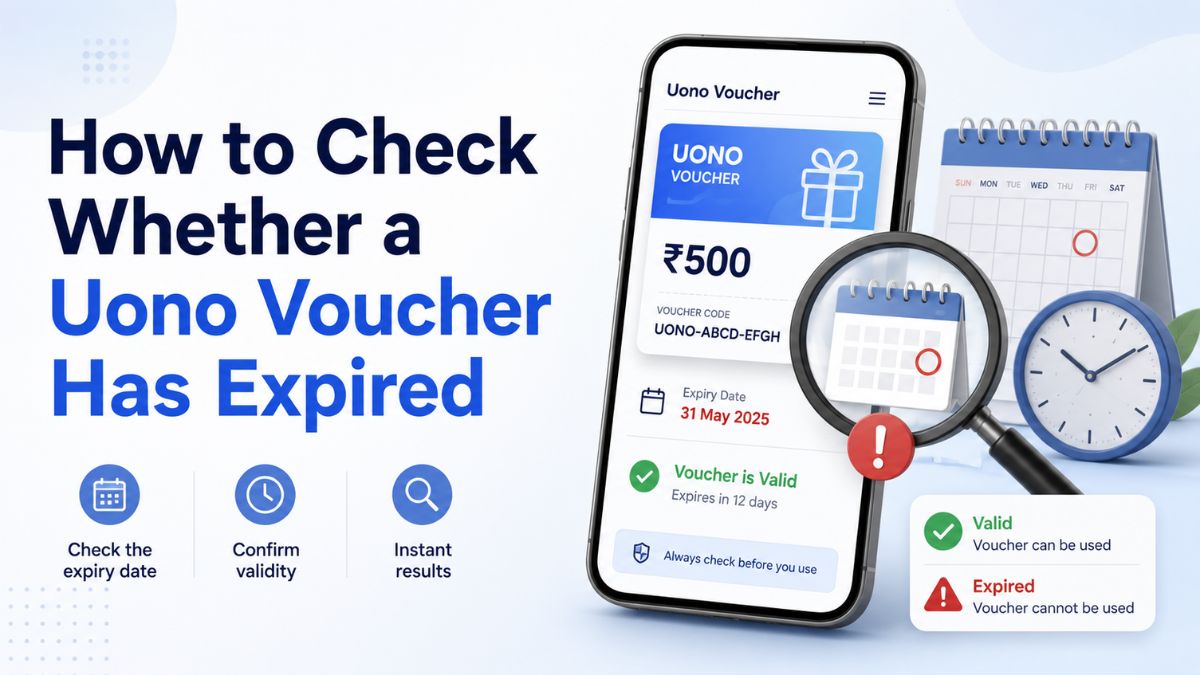
A voucher code may remain visible online even after the promotion connected to it has ended. This can happen because promotional pages, social posts, screenshots and third-party lists are not always removed when a campaign closes.
Every voucher record on UonoVoucher carries a status label—Scheduled, Active, Limited, Reported, Unconfirmed, Expired or Withdrawn—alongside a last reviewed date. Start by checking that label before assuming a code is currently redeemable.
If a voucher is marked Expired or Withdrawn, the copy action should be disabled. The code may remain visible for record-keeping and transparency, not as an invitation to use it.
This guide explains how to interpret voucher records, compare dates and recognise when a code needs further verification.
1. Check the voucher status first
The status label is the quickest indicator of a voucher's current condition. It should be reviewed before copying the code, opening an external platform or following any redemption instructions.
| Status | What it generally means |
|---|---|
| Scheduled | The voucher has been announced but is not expected to be available yet. |
| Active | The voucher was recently reviewed and appeared to be available at that time. |
| Limited | The voucher may only work for certain users, accounts, locations or campaign conditions. |
| Reported | A user or source has reported the code, but the information has not yet been independently confirmed. |
| Unconfirmed | There is not enough recent evidence to describe the voucher as active or expired. |
| Expired | The stated validity period has ended or the promotion is no longer available. |
| Withdrawn | The voucher was removed before its expected end date or is no longer being offered. |
An Active label does not guarantee that every account will qualify. Voucher availability can depend on eligibility rules, account history, location, platform version and campaign limits.
Similarly, a Limited label does not necessarily mean that a code is defective. It usually indicates that the promotion has restrictions that may not apply equally to all users.
2. Compare the expiry date with today's date
When an expiry date is shown, compare it with the current date.
For example:
- Expiry date: 10 July 2026 — The voucher should normally be treated as expired after that date.
- Valid until: 10 July 2026, 11:59 PM — The exact ending time may depend on the platform's stated time zone.
- Valid while supplies last — The voucher may become unavailable before the displayed campaign end date.
An expiry date should be treated as an upper boundary rather than a guarantee. Promotions can end earlier when a redemption limit is reached, campaign terms change or the platform withdraws the offer.
Be careful when the date format is unclear. For example, 07/08/2026 could mean 7 August or 8 July, depending on the format used by the original source. Look for a written month name or confirm the date inside the official promotion information.
3. Review the "last reviewed" date
When no expiry date is available, the last reviewed date becomes especially important.
A recent review date indicates when the voucher record was last checked. It does not necessarily show when the voucher was first published or when the promotion began.
Older review dates create more uncertainty because:
- The promotion may have ended since the last check
- Its eligibility conditions may have changed
- The code may have reached a usage limit
- The original announcement may have been removed
- The platform may have replaced it with a newer campaign
A code last reviewed several weeks or months ago should not automatically be treated as active, even if an old page still displays it.
When in doubt, treat the voucher as Unconfirmed until a recent review, a current official notice or a successful in-app validation provides stronger evidence.
4. Check the promotion inside the platform
The platform's current promotion page, voucher section or redemption screen is usually more reliable than an old screenshot or copied message.
Before attempting to redeem a code, check whether the platform displays:
- The promotion name
- The eligibility period
- The minimum account requirements
- Geographic restrictions
- Account-age requirements
- Usage or redemption limits
- Excluded users or account types
- Any claim deadline after redemption
- The platform's own terms and conditions
Some vouchers may only appear inside a particular version of an application or only for selected accounts. A code can therefore be active for one user while remaining unavailable to another.
Do not assume that a code is universally valid simply because someone else reported that it worked.
5. Distinguish between an expired code and an ineligible account
A failed redemption does not always mean that the voucher has expired.
The code may be rejected because:
- It was entered incorrectly
- Uppercase and lowercase characters were mixed up
- A letter was mistaken for a number
- The account already used the voucher
- The account was created outside the eligible period
- The offer is restricted to selected users
- The campaign is unavailable in the user's location
- A redemption limit has been reached
- The platform requires an updated application version
- The promotion has additional conditions
Check the exact error message before drawing a conclusion. Messages such as expired, promotion ended or no longer valid indicate a different issue from not eligible, already redeemed or invalid account.
6. Look for signs that a voucher record may be outdated
Treat a voucher cautiously when the record has one or more of the following warning signs:
- No publication, review or expiry date
- No link to a traceable source
- An unusually old screenshot
- Conflicting expiry dates across different pages
- Claims that the code is "permanent" or "guaranteed"
- Instructions that do not match the current platform interface
- An unofficial page asking for a password, verification code or payment
- A code copied repeatedly across unrelated websites without supporting information
A large number of websites displaying the same code does not prove that the promotion is still active. Many websites copy information from one another without checking the original source.
7. Do not rely on search-result dates alone
Search engines may display the date when a webpage was updated, indexed or republished. That date may not be the voucher's actual expiry date.
A page updated today can still contain an expired code, while an older page may have been preserved as a historical record.
Always prioritise the information inside the voucher record:
- Current status label
- Stated expiry date
- Last reviewed date
- Original campaign conditions
- Current in-platform information
8. Why expired vouchers may remain visible
Expired and withdrawn vouchers may remain visible for transparency.
Keeping a historical record can help users:
- Identify codes that are circulating again without context
- Understand why a previously listed code no longer works
- Compare older campaigns with current offers
- Avoid repeatedly attempting a discontinued code
- See when the record was last checked
The continued appearance of a code should not be interpreted as evidence that it remains redeemable. The status label and review information should determine how the record is understood.
9. What to do when the status is uncertain
When a voucher has no clear expiry date or current confirmation:
- Check the status and last reviewed date.
- Look for a recent official promotion notice.
- Review the platform's current voucher or promotion section.
- Read the eligibility conditions before taking any action.
- Avoid providing sensitive information to unofficial pages.
- Treat the code as unconfirmed when reliable evidence is missing.
Do not repeatedly submit a code when the platform displays an expired or withdrawn message. Repeated attempts will not normally restore a closed promotion.
10. Quick voucher-expiry checklist
Before treating a Uono voucher as active, confirm the following:
- The record is not marked Expired or Withdrawn.
- The stated expiry date has not passed.
- The last reviewed date is reasonably recent.
- The original promotion can still be traced.
- The platform currently recognises the promotion.
- Your account meets the listed eligibility conditions.
- The code has not already been redeemed.
- No payment or sensitive information is requested by an unofficial source.
A recent Active or Checked status provides stronger evidence than a code shown without dates or supporting details. However, platform availability and eligibility rules can still change after a record is reviewed.
Final reminder
The safest way to evaluate a voucher is to combine its status, expiry date, review date and current platform information.
Do not assume that a visible code is active. A voucher marked Expired or Withdrawn should be treated as closed, while an old or undated code should remain Unconfirmed until recent evidence is available.
UonoVoucher records are intended to help users understand the reported status of a promotion. The platform offering the voucher ultimately controls availability, eligibility and redemption conditions.
For more, read how to verify a gaming platform, browse current voucher records and understand voucher status labels.
Frequently Asked Questions
Yes. Some campaigns have limited redemption quantities or may be withdrawn by the platform. The displayed date may represent the latest possible ending date rather than guaranteed availability until that date.
Expired vouchers may remain visible as historical records. This helps users identify outdated codes and understand why a previously listed promotion is no longer available.
No. Active means the voucher appeared to be available when it was recently reviewed. Individual accounts may still be excluded because of eligibility rules, location restrictions, prior use or campaign limits.
Limited means the voucher may only be available to certain users, account types, regions or campaign groups. The original terms should be checked before attempting redemption.
Check the last reviewed date and look for a current promotion notice inside the platform. Until recent evidence is available, treat the voucher as unconfirmed.
Not always. The account may be ineligible, the code may have already been used or the voucher may have been entered incorrectly. Check the platform's error message for the specific reason.
An old screenshot can confirm that a voucher existed, but it cannot confirm that the voucher is still active. Look for a current review date and recent platform information.
Expired generally means the promotion reached the end of its validity period. Withdrawn means it was removed or discontinued, potentially before its expected end date.