
Review App Permissions Before Installation
Published 22 Mar 2026 · Updated 5 Jun 2026
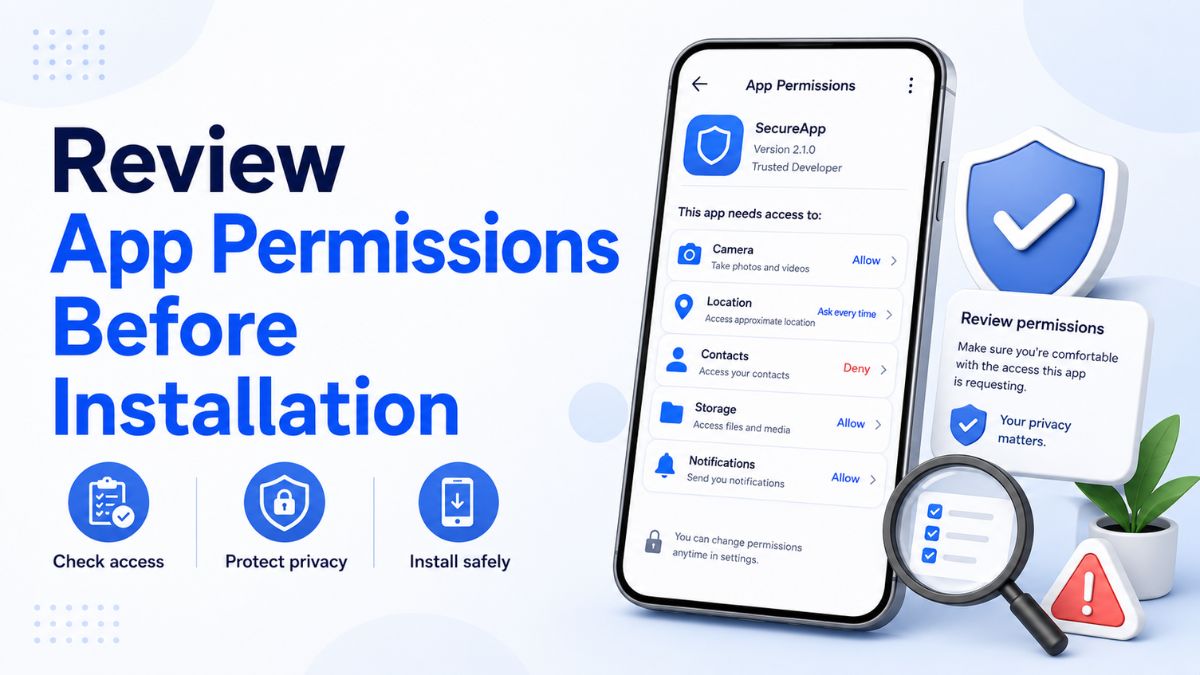
Before installing any game referenced on UonoVoucher, open its official listing page and review the permissions it requests. Compare those permissions with what the application reasonably needs to provide its stated features.
A basic game may need internet access, notifications or limited storage access. Requests for contacts, SMS messages, call logs, precise location, microphone access or broad file permissions deserve closer inspection—especially when the application does not clearly explain why they are required.
Check the publisher name, installation source, privacy information and update history before proceeding. UonoVoucher is an independent information website and does not host or distribute application installer files. Any external installation link should lead to the platform operator's official website or recognised store listing.
This guide explains how to assess app permissions, identify unnecessary requests and manage access after installation.
Why app permissions matter
Permissions allow an application to use specific parts of your device or access particular types of information.
Depending on the permission, an application may be able to:
- Send notifications
- Access photos or files
- Use the camera or microphone
- Determine your location
- View contacts
- Interact with phone or message functions
- Connect to nearby devices
- Display content over other applications
Some permissions are necessary for legitimate features. For example, an application may need camera access to scan a QR code or photo access when a user chooses to upload an image.
The concern is not that every permission is dangerous. The important question is whether the requested access is proportionate to the application's function and clearly explained.
1. Start with the application's official listing
Review the application from its official store page or the operator's verified website before installing it.
Look for:
- The exact application name
- The publisher or developer name
- The official website
- The number and type of permissions requested
- The application's privacy information
- Recent update dates
- Version history
- User reports about unexpected behaviour
- Contact details for the publisher
Do not rely only on the application icon. Unrelated or imitation applications may use similar names, colours or graphics.
Confirm that the publisher listed in the store matches the company identified on the platform's official website.
2. Compare each permission with the application's features
Ask what feature requires the requested access.
A permission is easier to understand when it directly supports a visible function.
| Permission | Possible legitimate reason | When to examine it more closely |
|---|---|---|
| Notifications | Account alerts, service notices or promotion updates | Notifications appear excessive or unrelated |
| Camera | Scanning a QR code or uploading a verification image | The app requests constant access without a camera feature |
| Photos and media | Selecting a profile image or saving user-requested content | The app requests access to all files without explanation |
| Microphone | Voice chat or recording a user-requested message | The application has no voice or recording feature |
| Location | Regional availability or a clearly explained location feature | Precise or background location is requested unnecessarily |
| Contacts | Finding existing contacts who use a social feature | The app is a basic game with no contact-based function |
| SMS | Automatic verification-code detection where supported | The app wants to read or send messages broadly |
| Phone or call logs | Rarely necessary for an ordinary game | The purpose is unclear or unrelated to the service |
| Nearby devices | Connecting to supported accessories or local multiplayer | No Bluetooth or device-connection feature exists |
| Calendar | Adding an event at the user's request | The app requests continuous access without a calendar feature |
A publisher should be able to explain why sensitive access is required. A vague statement such as "needed for better service" is not a complete explanation.
3. Distinguish required permissions from optional permissions
Not every permission should be mandatory.
Some access may only be needed when you use a particular feature. For example:
- Camera access may only be required when scanning something
- Photo access may only be required when uploading an image
- Microphone access may only be required during voice chat
- Location access may only be required for a regional feature
- Notifications may remain optional
Where possible, permissions should be requested at the moment a related feature is used rather than immediately after installation.
Be cautious when an application refuses to function at all after you deny access that appears unrelated to its core purpose.
4. Pay closer attention to sensitive permissions
Certain permissions can expose more private information or provide broader control over a device.
Contacts
Contact access can reveal names, phone numbers and other saved details. A game should not normally need the entire contact list unless it offers a clearly explained social feature.
Even then, check whether the feature can work by allowing the user to enter a contact manually instead of uploading the full address book.
SMS messages
SMS access may expose verification messages and personal communications. Some applications use limited SMS functionality to detect a one-time code, but broad message access deserves careful review.
Never share a one-time password or verification code with another person or enter it on an unofficial page.
Call logs and phone access
Call history and phone-state permissions are rarely essential for ordinary gameplay. An application requesting them should provide a specific and credible explanation.
Precise location
Precise location can reveal where a device is being used. Check whether approximate location would be sufficient and whether access is needed only while the application is open.
Background location deserves additional caution because it may allow location collection even when the application is not actively being used.
Microphone and camera
These permissions are appropriate for features such as voice chat, recording, QR scanning or user-requested uploads. They should not normally remain active without a clear user action.
Broad storage or file access
A modern application may only need access to a photo or file that the user specifically selects. Requests for access to all files can be broader than necessary.
Review whether the platform supports a system file picker that lets you choose a single item without giving permanent access to the rest of your storage.
Accessibility access
Accessibility services can perform powerful actions and observe content on the screen. They are designed to assist users with accessibility needs.
An ordinary game should not normally require accessibility access simply to install, sign in, receive a promotion or function correctly.
Do not enable it unless the purpose is clear, necessary and provided by a publisher you trust.
Display over other applications
This permission allows an application to place content above other apps. It may support chat bubbles or floating controls, but it can also obscure parts of the screen.
Review the reason carefully before allowing it.
Installing unknown applications
An application may ask for permission to install another package or update from outside the recognised store process.
This is not a normal requirement for using a promotion or voucher. Do not approve it unless you have independently confirmed the source and understand exactly what is being installed.
5. Review when the permission is requested
Timing provides useful context.
A camera request made when you choose Scan QR code is easier to justify than a camera request shown immediately when the application first opens.
Ask:
- Did I initiate a feature that needs this permission?
- Does the request explain its purpose?
- Can I continue without granting it?
- Is access needed once, only while using the app or at all times?
- Can I select a less intrusive option?
Where the operating system provides choices, prefer the narrowest access that supports the feature.
Examples include:
- Allow this time
- Only while using the app
- Selected photos only
- Approximate location
- Do not allow
You can expand access later when a feature genuinely requires it.
6. Read the explanation before approving access
A permission prompt should not be treated as a routine screen to dismiss.
Before selecting Allow, check:
- What information will be accessed
- Why the application says it needs access
- How long the access will remain available
- Whether the application can use the permission in the background
- Whether a less extensive option is available
Avoid granting every request automatically during setup. Permission prompts are part of the application's security boundary, not merely an installation formality.
7. Verify the publisher and installation source
Correct permissions do not make an unofficial installer safe.
Confirm that the application comes from:
- A recognised application store
- The operator's verified domain
- A link published through the operator's official support channel
- Another source clearly confirmed by the legitimate publisher
Be cautious of installer files shared through:
- Unsolicited messages
- Anonymous file-hosting pages
- Shortened links with no visible destination
- Copied social-media posts
- Unrelated voucher pages
- Pop-up advertisements
- Unofficial support accounts
An application package can be renamed or repackaged. The filename alone does not prove who created it.
8. Avoid unfamiliar third-party installer packages
Installing applications outside a recognised store may bypass some platform review processes and automatic safety checks.
An unofficial package may:
- Request permissions not present in the official version
- Contain altered code
- Imitate a legitimate application
- Avoid normal update channels
- Direct users to a false login page
- Install additional software
- Stop receiving security updates
A promotion should not require downloading an unknown package from an unrelated website.
When the official application cannot be located, pause rather than selecting the first available download result.
9. Check the application's privacy information
The permission list shows what an application can access. Its privacy information should explain how collected data may be handled.
Review whether the publisher describes:
- What information is collected
- Why it is collected
- Whether it is shared with other organisations
- How long it may be retained
- Whether users can request deletion
- How accounts and data are protected
- How to contact the publisher about privacy concerns
Permissions and privacy disclosures should be considered together.
An application might not request contact access but could still collect account activity, device identifiers or usage data through other means. Conversely, a permission may support a feature without meaning that all accessible information is continuously collected.
10. Examine the update and review history
Recent updates can indicate active maintenance, but the update date alone is not proof of safety.
Read the update notes where available. Look for explanations of:
- New features
- Security improvements
- Permission changes
- Bug fixes
- Changes to supported devices
- Modifications to account requirements
User reviews can help identify repeated problems, although they should not be treated as independently verified evidence.
Pay attention to patterns such as:
- Many reports of unexpected permission requests
- Complaints about redirects to unofficial pages
- Reports of excessive advertising
- Unexplained battery or data usage
- A sudden change in publisher identity
- Reviews that describe a different application than the current listing
A small number of reviews may be inaccurate. Consistent reports across multiple dates deserve closer examination.
11. Review permission changes after an update
An application's requirements can change over time.
After an update, check whether it asks for new access that was not previously required.
Consider:
- What new feature supposedly needs the permission
- Whether the changelog explains the change
- Whether the application works without it
- Whether the permission is requested only when the new feature is used
- Whether the publisher's privacy information has also changed
Do not assume that a permission is appropriate merely because the application was already installed.
A significant change in requested access is a reason to reassess the application.
12. Manage permissions after installation
Permissions can usually be reviewed and changed through the device settings.
The exact menu names vary by device, but the general process is:
- Open the device's Settings.
- Select Apps, Applications or a similar section.
- Choose the relevant application.
- Open Permissions or App permissions.
- Review each allowed and denied category.
- Remove access that is no longer necessary.
You may also be able to review applications by permission category. For example, the device settings may show every application currently allowed to use the camera, microphone or location.
Removing a permission can disable the feature that depends on it. The application should not normally require you to reinstall it merely because an optional permission was denied.
13. Review background access
Some permissions behave differently when the application is not open.
Check whether the application can:
- Use location in the background
- Run continuously
- Send frequent notifications
- Access mobile data without restriction
- Appear over other applications
- Start automatically
- Use the battery without optimisation
- Interact with nearby devices
Background activity may affect privacy, battery life and data consumption.
A game that is used occasionally may not need unrestricted background operation.
14. Watch for unusual behaviour after installation
Review the application again when your device begins behaving unexpectedly.
Possible warning signs include:
- New permission prompts unrelated to a selected feature
- Unfamiliar applications appearing on the device
- Repeated redirects to external websites
- Full-screen advertisements outside the application
- Unusual battery drain
- Unexpected mobile-data use
- Microphone or camera indicators activating without a clear reason
- Security settings changing unexpectedly
- Requests to disable device protections
- Login alerts that you do not recognise
- The application asking for a one-time password through chat or support messages
One sign does not automatically prove harmful behaviour, but unexplained changes should not be ignored.
Close the application, review its permissions and verify that it came from the expected publisher.
15. Do not disable device protections to install an app
Be cautious when instructions tell you to:
- Disable security scanning
- Ignore a harmful-app warning
- Turn off browser protection
- Grant administrator access
- Activate accessibility services
- Allow installation from every unknown source
- Remove an existing security application
- Disable operating-system updates
A legitimate application should not normally require broad security protections to be turned off merely to redeem a voucher or access an ordinary feature.
Warnings should be investigated rather than bypassed automatically.
16. Use the latest supported operating system and app version
Software updates can correct vulnerabilities and improve permission controls.
Keep the following updated where supported:
- The device operating system
- The recognised application store
- The installed application
- The default browser
- Built-in security services
Older devices may no longer receive security updates. This can increase risk even when the application itself appears legitimate.
Only update through recognised system settings, the official store or a verified publisher source.
17. Remove applications you no longer use
An unused application may retain previously granted permissions.
Periodically review installed applications and remove those that:
- Are no longer needed
- Have not been used for a long time
- No longer receive updates
- Have changed publisher unexpectedly
- Request unnecessary access
- Cannot be linked to a credible source
Before uninstalling an application, check whether any account information or user-created content needs to be handled through the operator's official account settings.
Uninstalling an application does not always delete an online account or information already stored by the operator.
Permission requests that deserve extra caution
Pause before installation when an ordinary game requests several of the following without a clear explanation:
- Contacts
- Full SMS access
- Call logs
- Background precise location
- Accessibility control
- Device-administrator access
- Installation of other applications
- Display over other apps
- Access to all files
- Microphone access unrelated to voice features
- Camera access unrelated to scanning or uploads
- Permission to modify system settings
The issue is not simply the number of permissions. A specialised application may legitimately need several forms of access.
The concern is the mismatch between the requested access and the application's stated purpose.
Questions to ask before granting a permission
Use these questions for each request:
- Which feature needs this access?
- Did I choose to use that feature?
- Is the explanation specific?
- Can I grant access only once?
- Can I allow access only while using the application?
- Can I select individual photos or files?
- Does the application still work when I deny it?
- Does the official privacy information mention this access?
- Has the permission changed after an update?
- Is the application from the verified publisher?
When the answers remain unclear, deny the request temporarily and investigate further.
What to do when you already granted unnecessary access
You can usually remove a permission without uninstalling the application.
Take the following steps:
- Open the application's permission settings.
- Disable access that appears unnecessary.
- Review background-data and battery settings.
- Check whether the application has special access, such as accessibility or display-over-other-app permissions.
- Restart the application.
- Confirm that its essential features still work.
- Uninstall it when it cannot function without unrelated access and no credible explanation is provided.
When you entered account credentials into an application you believe may be unofficial, change the password through the platform's verified website or application. Also review active sessions and account-security alerts where those options are available.
App permission review checklist
Before installing an application, confirm that:
- The application comes from an official or verified source
- The publisher name matches the operator
- The listing describes the application accurately
- The requested permissions match visible features
- Sensitive access has a specific explanation
- Optional permissions can be denied
- The application does not require device protections to be disabled
- Its privacy information is available
- Its update history appears consistent
- The installer does not come from an unrelated third party
After installation, confirm that:
- No unexpected permissions were added
- Camera, microphone and location access are appropriately limited
- The application does not run unnecessarily in the background
- Notifications are relevant
- Special access settings have not been enabled without your knowledge
- The application continues to come from the expected publisher
How UonoVoucher handles application links
UonoVoucher is an independent informational website. It does not issue applications, develop the games referenced in its records or host application installer packages.
Where an external application link is provided, users should verify that it leads to:
- The operator's official application-store listing
- The operator's confirmed website
- Another clearly identified official channel
A link appearing on an informational page does not replace the need to review the destination, publisher and permissions.
Application availability, functionality, privacy practices and permission requirements remain under the control of the relevant operator and software publisher.
Final reminder
Review app permissions before installation and again whenever an update introduces new requests.
A permission should have a clear connection to a feature you understand and intend to use. Prefer limited, temporary or feature-specific access over permanent broad access whenever your device offers that choice.
Pay particular attention to contacts, SMS, call logs, precise location, microphone, accessibility services, broad storage access and permission to install other applications.
When an application requests access that does not match its purpose, deny the request and verify the publisher before continuing.
For more, read how to verify a gaming platform safely, learn why a promo code may not work, check whether a Uono voucher has expired and browse supported game records.
Frequently Asked Questions
No. Many permissions support ordinary features such as notifications, photo uploads, camera scanning or voice communication. The important issue is whether the permission is necessary, proportionate and clearly explained.
Pay closer attention to contacts, SMS, call logs, precise or background location, microphone, broad file access, accessibility services, device-administrator control and permission to install other applications.
Only when it offers a clear contact-based feature and explains how the information is used. A basic game without social contact features should not normally require access to an entire address book.
Often, yes. Denying a permission may disable the specific feature that relies on it while leaving the rest of the application available. Behaviour depends on how the publisher designed the application.
It may be appropriate when you deliberately use a feature such as QR scanning or image upload. Prefer allowing access only while using the application, or only when the feature is activated.
It may need access so you can select a profile image, upload a document or save requested content. Where available, choose access to selected photos instead of the complete media library.
Only when a feature genuinely needs it. Approximate or while-in-use access may be sufficient for many purposes. Background precise location deserves additional review.
Read the update notes, identify the feature connected to the request and check whether the publisher explains the change. Deny the permission until its purpose is clear.
A recognised store provides useful checks and a traceable publisher listing, but it is not a complete guarantee. Review the publisher, permissions, privacy information and user reports before installing.
Treat unsolicited installer files cautiously. Verify the application through the operator's official website or recognised store rather than relying on the sender's description.
Security warnings and installation controls help prevent unsafe or altered applications from running. A promotion or voucher should not normally require those protections to be disabled.
Yes. Most devices allow you to review and remove permissions through the application settings. Menu names vary by device and operating-system version.
Not necessarily. Uninstalling removes the application from the device, but the operator may continue to retain the online account and related information according to its policies.
No. UonoVoucher is an independent information website and does not host or distribute app installer files. External links should be checked to confirm that they lead to an official operator source.